
Jewellery is a very visual, trust-sensitive product. Customers need to see detail, understand materials and feel confident about quality and returns. WordPress with WooCommerce is a flexible way to build this kind of store, and you can start with free tools.
Step 1: Set up WordPress and WooCommerce
- Install WordPress on your hosting (see our Hostinger setup guide).
- Go to Plugins → Add New, install WooCommerce and run the setup wizard: store address, currency, product types and payments.
Step 2: Choose an elegant, fast theme
Look for a WooCommerce-compatible theme with generous white space, large product imagery and clean typography. Some themes offer ready-made jewellery templates you can import in one click — a quick way to start, as I show in my video. Replace every demo image and text with your own before launch.
Step 3: Organise your catalogue
- Categories by type: rings, earrings, necklaces, bracelets.
- Attributes such as metal (silver, gold-plated), stone and size.
- Tags for occasions or collections, like "bridal" or "everyday".
Step 4: Create products the right way
Use simple products for single items and variable products when one design comes in several sizes or metals. For each product, include:
- A clear title with the type and material.
- A description covering materials, dimensions, weight, finish and care.
- Size guidance for rings and bracelets.
- Several photos: front, side, close-up and on a model or hand for scale.
Step 5: Photography matters more than anything
Jewellery is small and reflective, so photos make or break the store. Use soft, diffused light, a clean background and a tripod. Shoot close-ups that show texture and stones, and at least one image that shows real-life scale. Keep all images the same aspect ratio.
Step 6: Payments and shipping
Enable payment methods your customers trust, set clear shipping rates, and consider insured shipping for higher-value pieces. State delivery times on product pages.
Step 7: Build trust
- An About page with your story and the people behind the brand.
- Clear return, exchange and shipping policies.
- Material and authenticity information, including any certificates you genuinely provide.
- Genuine customer reviews and photos.
- Easy contact options such as WhatsApp or email.
Step 8: Launch and grow
Before launch, place test orders, check mobile layouts and compress images. After launch, share products on Instagram and Pinterest, collect reviews, and write helpful content like ring size guides or jewellery care tips.
Tip: Start with a focused collection of your best pieces. A small, beautifully presented store converts better than a large, cluttered one.
Useful pages for a jewellery store
- Ring size guide with a printable sizer or clear measuring instructions.
- Jewellery care guide explaining how to clean and store each material.
- Materials page explaining plating, sterling silver, stones and hypoallergenic options — only claims you can support.
- Gift guide for occasions such as weddings, anniversaries and festivals.
- FAQ page covering delivery, returns, customisation and packaging.
These pages answer common questions, reduce returns and give search engines more helpful content to show.
Security and maintenance
Because a store handles orders and customer data, keep WordPress, WooCommerce, your theme and plugins updated, use strong passwords with two-factor authentication, and schedule regular backups. Our WordPress security checklist covers this step by step.
Watch the video
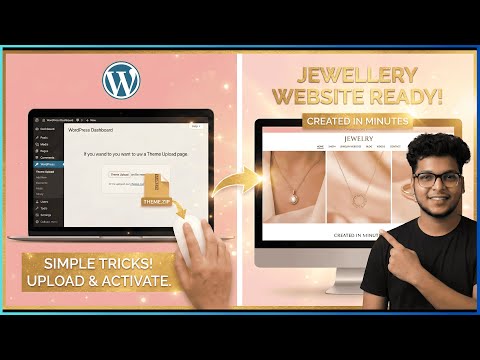
How to Make a Jewelry Website on WordPress FREE (Full Store in 1 Click)
Frequently asked questions
Can I build a jewellery website on WordPress for free?
WordPress and WooCommerce are free, but you need hosting and a domain. Many themes have free versions you can start with.
Is WooCommerce or Shopify better for a jewellery store?
Both work well. WooCommerce offers more control and lower platform fees; Shopify is simpler to manage. Read our guide to what Shopify is to compare.
How should I photograph jewellery for my website?
Use soft, diffused light, a clean background, a tripod and close-up shots, plus one image showing scale on a model.

Written by
Saurabh
Web developer, founder of ZXNova and creator of Saurabh Web Studio. I build Shopify stores, WordPress sites and AI-powered web apps — and teach how on YouTube.